AILKIN
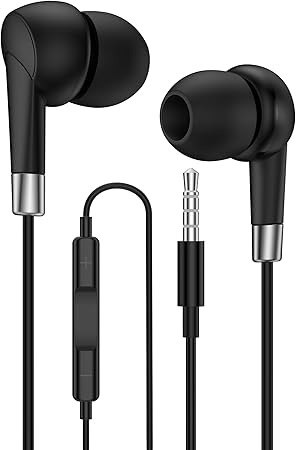
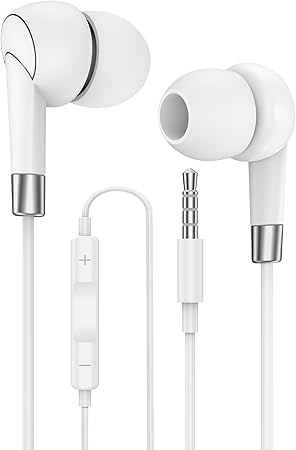
3.5mm Wired Earbuds for Moto G Pure Play Stylus G57 G67 Power G15 G05 G100s G100 Android in-Ear Headphones Ear Buds Cord PC iPhone Samsung Google Kindle MP3 Player Earpods with 3.5 Jack Earphones
3.5mm Wired Earbuds for Moto G Pure Play Stylus G57 G67 Power G15 G05 G100s G100 Android in-Ear Headphones Ear Buds Cord PC iPhone Samsung Google Kindle MP3 Player Earpods with 3.5 Jack Earphones
Couldn't load pickup availability
1Pack 3.5mm Eearbuds with Microphone for Android Plug-in Corded Ear Buds In-Ear Headphones Ear Pods Audifonos Eearbuds
Feature of Wired Headphones 3.5 mm Jack Cable
Hi-Fi Audio with Superior Noise Isolation
Soft silicone ear tips provide superior noise isolation, while the ear phone with 3.5 Male Aux plug built-in DAC chip delivers Hi-Fi audio with deeper bass and clearer vocals
Secure Fit & All-Day Comfort
Soft silicone ear tips provide a stable, anti-slip fit that stays secure during movement while reducing ear pressure for all-day comfort
Multiple Tip Sizes for Perfect Fit
The package includes S/M/L ear tips to match different ear shapes, improving comfort and noise isolation.
Ideal Everyday Length
4 feet (1.2 meters) is long enough to give you freedom of movement-without being too long or getting tangled easily.
*Please Note:
Only for 3.5mm Port Audio Devices
Not Support for Lightning Port
In-Ear EarBuds Wired 3.5mm Compatible List(Not Full):
For Galaxy A07 4G, A06, A25, A15 5G, A15, A05,A05s, A24,A14,A04e, A04s, A04, A23, A13, A03s, A22, A21, A21s, A42 5G, A71, A51, A11, A50, A20
For Galaxy S10/S10 /S9/S9 /S8/S8 /S7/S7 edge/S6/S6 edge/S5
For Google Pixel 5a 5G, 4a 5G, 4a, 3a XL, 3a, XL, Pixel
For Moto G57 Power, G57, G67 Power, G(2026), G Play, G100S, G100, Pad 60 Neo, G06 Power, G06, G56, G Stylus(2025), G Power (2025)(2024), G15, G15 Power, G05
For iPhone SE/6/6s/5/5s/5c/4/4s/3GS; iPad Air / Mini/ Pro
and more audio devices with 3.5mm jack port
Key Setting for USB 3.5 Jack Stereo Wired Headphones
--For middle button--
Single click: Pause/Play; Answer Call/End Call
Double click: Next Song
Triple click: Previous Song
Long Press: Reject Call; active voice assistants (Siri/Gemini/Bixby)
--For other button--
Volume Control: Press the [ ][-] button